Create WP Websites in hours, not days
Explore 650+ designed components and template kits



Featured image Tired of bloated WordPress sites slowed down by dozens of plugins? Do you spend hours tweaking Elementor sections, struggling to achiev...
Tired of bloated WordPress sites slowed down by dozens of plugins? Do you spend hours tweaking Elementor sections, struggling to achieve the perfect look and feel? There’s a better way to build stunning websites, faster and without sacrificing performance.
Introducing CopyElement: Your Ultimate Elementor Design Library (Plugin-Free!)
Imagine having access to thousands of professionally designed Elementor sections, ready to copy and paste directly into your website. No more struggling with layouts, no more hunting for the perfect plugin. Just beautiful, responsive designs at your fingertips. That’s the power of CopyElement. We offer a plugin-free solution for creating stunning websites with Elementor.
This isn’t just another plugin repository. CopyElement is a cloud-based library, meaning no extra code weighs down your site. It’s the fastest, cleanest, and most efficient way to enhance your Elementor workflow. If you want to build websites faster, you’ve come to the right place.
You might be wondering, “Why ditch plugins altogether?” The answer is simple: performance, security, and simplicity.
A WordPress Reality
WordPress is a powerful platform, but its reliance on plugins can lead to a host of issues:
We believe in a cleaner, more efficient approach. CopyElement eliminates the need for dozens of individual Elementor add-ons, streamlining your workflow and boosting your website’s performance. That’s why we urge you to ditch plugins where possible.
Speed, Security, and Simplicity
CopyElement offers a superior alternative to the plugin-heavy approach. Here’s how it benefits you:
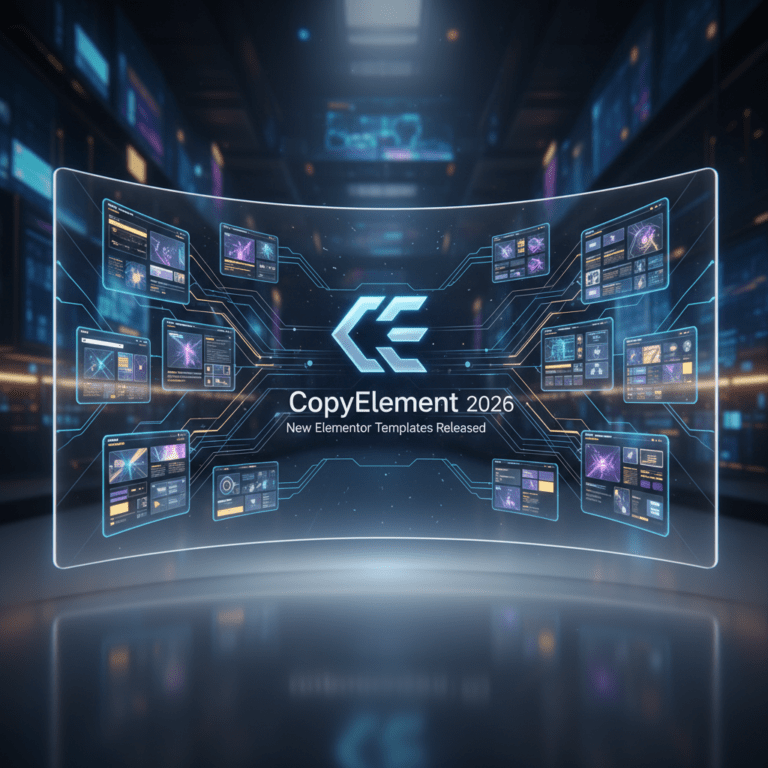
What You’ll Find Inside The CopyElement library is packed with a diverse collection of professionally designed Elementor sections, covering a wide range of website needs. Here’s a glimpse of what you can expect to find: Hero Sections: Make a Powerful First Impression Your hero section is the first thing visitors see, so it needs to grab their attention and clearly communicate your message. CopyElement offers a variety of stunning hero sections, designed to make a lasting impression. Modern Designs: Bold typography, eye-catching imagery, and contemporary layouts. Various Styles: From minimalist to vibrant, find a hero section that matches your brand aesthetic. Mobile-Responsive: Every hero section is fully responsive, ensuring a seamless experience on all devices. About Us Sections: Tell Your Story The “About Us” section is your opportunity to connect with your audience and build trust. CopyElement provides beautifully designed “About Us” sections that showcase your brand’s personality and values. Engaging Layouts: Present your company’s history, mission, and values in a visually appealing way. Team Member Spotlights: Introduce your team with professional photos and brief bios. Compelling Storytelling: Craft a narrative that resonates with your audience. Services Sections: Highlight Your Offerings Clearly communicate the value you provide with a well-designed “Services” section. CopyElement offers a range of options to showcase your products and services in an engaging and informative way. Icon-Based Designs: Use visually appealing icons to represent your services. Detailed Descriptions: Provide clear and concise descriptions of each service. Call-to-Action Buttons: Encourage visitors to learn more or take the next step. Testimonials Sections: Build Credibility Social proof is essential for building trust and convincing potential customers. CopyElement provides beautifully designed “Testimonials” sections to showcase positive reviews and testimonials. Visually Appealing Designs: Feature testimonials in a clean and modern way. Authentic Quotes: Use real quotes from satisfied customers.
Author Attribution: Include the name and photo of each testimonial author. Contact Sections: Make it Easy to Connect Make it easy for visitors to get in touch with a well-designed “Contact” section. CopyElement offers a variety of options, including contact forms, maps, and contact information. Contact Forms: Use a simple and user-friendly contact form. Google Maps Integration: Display your location on a map. Contact Information: Provide your phone number, email address, and physical address. Pricing Tables: Clearly Present Your Packages Clearly outline your pricing options with well-structured pricing tables. CopyElement provides designs that are easy to read and understand. Clear Comparisons: Allow visitors to easily compare different plans. Highlighted Features: Draw attention to key benefits. Call-to-Action Buttons: Encourage sign-ups. Footer Sections: A Final Impression Don’t neglect your footer! CopyElement offers a selection of footer designs, helping you add important information like copyright notices, links to key pages, and social media icons. Clean and Organized: Provide a clear and uncluttered user experience. Essential Information: Include copyright notices, contact information, and links to important pages. Social Media Integration: Display links to your social media profiles. And that’s just a taste of what’s available! We are constantly adding new sections to the library, so you’ll always have fresh designs to choose from. How to Use CopyElement: A Step-by-Step Guide
Using CopyElement is incredibly simple. Here’s a step-by-step guide to get you started:
That’s it! You’ve successfully added a professionally designed section to your Elementor page in just a few clicks.
See CopyElement in Action
The best way to understand the power of CopyElement is to see it in action. Here are a few examples of websites that have been built using our library:
These are just a few examples, but the possibilities are endless. With CopyElement, you can build virtually any type of website, quickly and easily.
While CopyElement is designed to be easy to use, here are a few advanced tips and tricks to help you get the most out of it:
Make it Your Own While CopyElement provides pre-designed sections, you’re free to customize the code to match your brand and specific needs. Don’t be afraid to experiment with different colors, fonts, and layouts. You can also build Elementor sites faster by creating your own custom sections and saving them for future use. Use Global Styles: Maintain Consistency
To ensure a consistent look and feel across your website, use Elementor’s global styles feature. This allows you to define styles for headings, text, and buttons, which will be applied to all elements on your site.
Ensure Responsiveness
While CopyElement sections are designed to be responsive, it’s always a good idea to double-check how they look on different devices. Use Elementor’s responsive editing mode to make any necessary adjustments.
Create Unique Layouts
Don’t be afraid to combine different CopyElement sections to create unique layouts. Experiment with different combinations to find what works best for your website.
Here are some frequently asked questions about CopyElement:
Yes, CopyElement is compatible with all Elementor themes.
No, CopyElement is designed to be easy to use, even for beginners. No coding experience is required.
Yes, depending on your subscription plan, you can use CopyElement on multiple websites.
We are constantly adding new sections to the library, so you’ll always have fresh designs to choose from.
Yes, we offer a free trial so you can try CopyElement before you commit to a subscription.
Stop wasting time and money on bloated plugins. Embrace the plugin-free approach and unlock the full potential of Elementor with CopyElement. Start building stunning websites faster, easier, and more efficiently than ever before.
Visit our website today to browse the library and sign up for a free trial. We’re confident that you’ll be amazed by the power and simplicity of CopyElement.