Create WP Websites in hours, not days
Explore 650+ designed components and template kits



In today’s fast-paced digital world, building a website from scratch can feel like an eternity. Every element, from the header to the footer, demands ...
In today’s fast-paced digital world, building a website from scratch can feel like an eternity. Every element, from the header to the footer, demands careful planning and execution. What if you could significantly reduce development time while still achieving a stunning and professional online presence? The answer lies in Elementor UI Kits.
Elementor UI Kits offer a library of pre-designed sections and templates ready to be imported into your Elementor projects. This approach not only accelerates the design process but also ensures consistency and quality across your entire website. Let’s delve into how these kits can revolutionize your workflow and unlock a new level of efficiency in web design.
Even with the visual drag-and-drop interface of Elementor, building a website from the ground up can be surprisingly time-consuming. Sourcing the right images, configuring responsive settings for various devices, and ensuring consistent styling across all pages requires considerable effort. Furthermore, the constant need to create every section from scratch can lead to inconsistent designs and a disjointed user experience. Addressing every detail while also keeping UI/UX design best practices in mind becomes a significant undertaking, particularly for projects with tight deadlines or limited resources. This process also introduces the risk of neglecting crucial aspects like SEO optimization, which can impact long-term visibility.
Elementor UI Kits offer a solution by providing ready-made website sections and templates. Instead of spending hours designing a contact form, a hero section, or a blog layout from scratch, you can simply import a pre-designed element and customize it to your specific needs. This dramatically cuts down on development time, freeing you to focus on crafting compelling content and optimizing the user experience. For example, a complete landing page, that might take 8 hours to construct manually, can often be assembled in under an hour using a well-designed UI kit, allowing for more rapid testing and deployment of marketing campaigns. The time savings are especially apparent for agencies managing multiple client projects, as UI kits help standardize design processes and boost team productivity. You can find more insights into increasing team productivity with website builders at WPDevelopers.com.
In 2026, the market is flooded with Elementor UI Kits, but CopyElement differentiates itself through its commitment to quality, versatility, and performance. Our kits are not just aesthetically pleasing; they are also built with Elementor SEO best practices in mind, ensuring that your website is optimized for search engines. The kits are also continuously updated to incorporate the latest design trends and Elementor features, guaranteeing that your website remains modern and competitive. CopyElement kits offer a wide range of components beyond basic page elements, from intricate pricing tables to advanced filterable galleries. Furthermore, CopyElement UI kits undergo rigorous performance testing to ensure fast loading times and a seamless user experience. This focus on quality and performance makes CopyElement UI Kits a smart investment for any serious website builder. For instance, the “Agency X” kit features meticulously crafted animations and interactive elements designed to capture visitor attention and increase engagement.
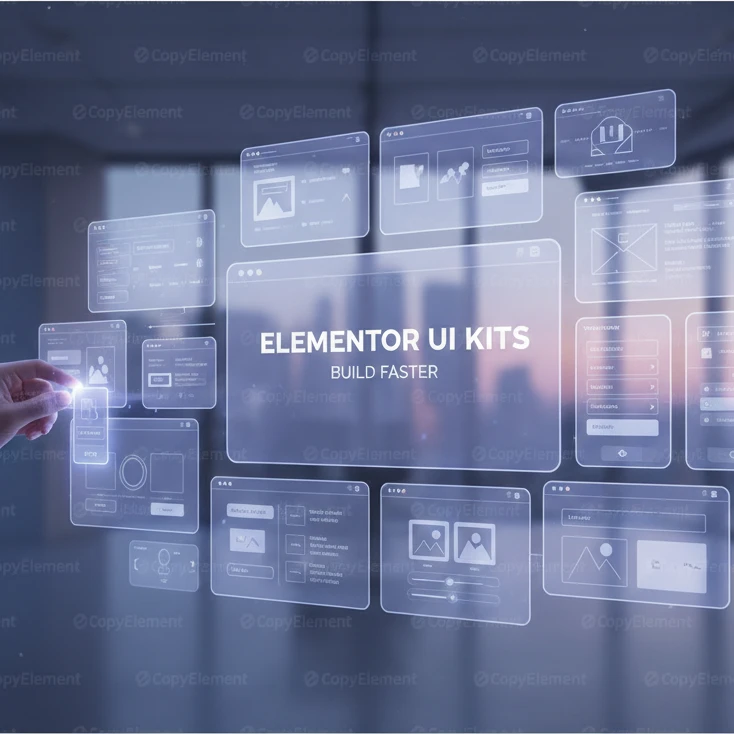
An Elementor UI Kit is essentially a collection of pre-designed website sections, pages, and templates specifically crafted for use with the Elementor page builder. Think of them as LEGO bricks for your website. Each kit typically includes a variety of elements such as headers, footers, contact forms, pricing tables, blog layouts, and more. These elements are not just static designs; they are fully functional and customizable, allowing you to adapt them to your specific brand and content. These kits often follow a specific design theme or style, enabling you to create a cohesive and professional-looking website without needing extensive design skills. They represent a pre-packaged solution for streamlining the website building process and achieving a polished final product.
The primary advantage of using Elementor UI Kits is the significant time savings they offer. Instead of building each section from scratch, you can simply import pre-designed elements and customize them to fit your needs. This not only accelerates the development process but also ensures consistency across your entire website. UI Kits also help maintain visual consistency, as all elements within a kit are designed to complement each other. Moreover, UI Kits often incorporate best practices in web design, such as responsive layouts, clear calls to action, and optimized typography, resulting in a higher-quality website overall. For example, using a UI Kit guarantees that your website looks equally stunning on desktop computers, tablets, and smartphones. Furthermore, leveraging a well-designed kit can help you avoid common design pitfalls that might otherwise detract from the user experience. You can explore examples of UI kits that enhance user experience at TemplateMonster’s Elementor Templates.
A common misconception is that UI Kits are solely for beginners or those lacking design skills. While they are certainly beneficial for novice users, experienced designers and developers can also greatly benefit from using them. UI Kits can serve as a starting point for complex projects, allowing experienced professionals to quickly establish a foundation and then focus on more intricate customizations and unique features. They can also be a valuable tool for rapidly prototyping website designs or creating mockups for client presentations. Furthermore, UI Kits can help maintain consistency across large-scale projects or teams, ensuring that everyone adheres to the same design standards. Even seasoned developers can save valuable time by utilizing pre-built components instead of reinventing the wheel. Many advanced developers utilize UI kits to automate their workflow and guarantee consistent design elements across multiple projects, leading to improved efficiency and profitability.
A top-tier Elementor UI Kit should be inherently responsive, meaning it adapts seamlessly to different screen sizes and devices. Look for kits that prioritize a mobile-first approach, where the design is initially optimized for smaller screens and then progressively enhanced for larger ones. Test the responsiveness of the kit by previewing it on various devices, such as smartphones, tablets, and desktop computers, to ensure that all elements display correctly and function as expected. A truly responsive kit will not only resize elements but also rearrange them intelligently to provide an optimal viewing experience on each device. Verify that the kit uses flexible grids and media queries to achieve responsiveness, rather than relying on fixed-width layouts. Ignoring responsiveness leads to a poor user experience, higher bounce rates, and decreased conversion rates.
A good UI Kit should offer ample customization options, allowing you to tailor the design to your specific brand and content. The ability to easily change fonts, colors, and layouts is crucial. Ensure that the kit uses Elementor’s global styling options, enabling you to modify these elements across the entire website with just a few clicks. Look for kits that provide a variety of layout options for different sections and pages, giving you the flexibility to choose the best design for each specific purpose. The ability to easily add your own branding elements, such as logos and custom graphics, is also essential. Avoid kits that are overly restrictive or require extensive coding to customize, as this defeats the purpose of using a UI Kit in the first place. A well-designed kit will empower you to create a unique and branded website without needing to be a coding expert.
Website speed is critical for user experience and SEO, so a high-quality Elementor UI Kit should be optimized for performance. This means it should use clean code, minimize the use of unnecessary elements, and be designed for fast loading times. Check if the kit utilizes optimized images and lazy loading techniques to further improve performance. Run a speed test on a demo page of the kit to get an indication of its performance. Consider using tools like Google PageSpeed Insights or GTmetrix to evaluate the kit’s loading speed and identify any potential issues. A poorly optimized UI Kit can significantly slow down your website, leading to frustrated visitors and lower search engine rankings. Prioritizing performance ensures a smooth and engaging user experience. Elementor Speed Secrets is a good place to start.
A good Elementor UI Kit should be built with SEO in mind. This means using semantic HTML tags (e.g., <article>, <aside>, <nav>) to structure the content logically, making it easier for search engines to understand the website’s content. Furthermore, the kit should be compatible with schema markup, allowing you to add structured data to your website to enhance its visibility in search results. Look for kits that provide options for adding alt text to images and optimizing meta descriptions for each page. Avoid kits that use excessive JavaScript or other elements that can hinder search engine crawling. A well-structured and SEO-friendly UI Kit can significantly improve your website’s search engine rankings and drive more organic traffic. Investing in a kit optimized for Elementor SEO is vital for long-term online visibility. You can explore the importance of semantic HTML for SEO further on the Google Search Central documentation.
The CopyElement library boasts a diverse collection of UI kits catering to various industries and design preferences. To effectively navigate this library, start by using the search filters to narrow down your options based on keywords, categories, or specific features. For example, if you’re building a website for a restaurant, you can search for “restaurant UI kit” or filter by the “food and beverage” category. Preview each kit to get a feel for its overall design and features. Pay close attention to the included elements and whether they align with your project’s needs. Consider the color palette, typography, and overall style of each kit to ensure it matches your brand identity. Also, check the kit’s documentation for details on its features, customization options, and any specific requirements. Take advantage of CopyElement’s advanced filtering system to pinpoint a kit that seamlessly integrates with your vision and target audience.
Once you’ve selected a CopyElement UI Kit, the installation process is straightforward. First, download the kit’s ZIP file from the CopyElement website. Then, in your WordPress dashboard, navigate to the “Templates” section and click on “Import Templates.” Upload the ZIP file and wait for the import process to complete. Once the templates are imported, you can access them within the Elementor editor. To use a template, simply open an Elementor page or create a new one, then click on the “Add Template” icon. You’ll find the imported templates under the “My Templates” tab. Select the desired template and click “Insert” to add it to your page. You can then customize the template to match your specific needs. Remember to preview the page to ensure everything looks as expected. If any issues arise, consult the CopyElement documentation or contact their support team for assistance.
After importing a CopyElement UI Kit, the next crucial step is to customize it to align with your brand identity and content. Begin by updating the color palette to match your brand’s primary and secondary colors. You can easily do this using Elementor’s global color settings. Next, adjust the typography to reflect your brand’s font choices. Ensure that the font sizes and styles are consistent across all elements. Replace the placeholder content with your own text and images, ensuring that the content is engaging and relevant to your target audience. Customize the layouts of different sections to suit your specific needs. Add or remove elements as necessary to create a unique and tailored design. Pay attention to the overall visual hierarchy and ensure that the most important elements are prominently displayed. Remember to optimize all images for web use to improve loading times. Finally, thoroughly test the customized kit on different devices to ensure responsiveness and a seamless user experience. Unlock Startup Growth: Untraditional Marketing is a great place to start understanding your target demographic to generate content that connects.
Building a website from scratch with Elementor can be a rewarding experience, but it’s often fraught with challenges. The traditional method involves designing each element individually, which can be incredibly time-consuming, especially for complex layouts. Maintaining consistency across multiple pages is another hurdle, as ensuring that fonts, colors, and spacing remain uniform requires meticulous attention to detail. Furthermore, optimizing each element for different devices can be a laborious process, demanding extensive testing and adjustments. This approach also necessitates a strong understanding of design principles and best practices, which can be daunting for those without formal training. Ultimately, the traditional method can be inefficient and lead to inconsistencies, potentially impacting the user experience and overall website quality.
UI Kits offer a streamlined solution to the time-consuming nature of traditional website building. By providing pre-designed templates and elements, UI Kits significantly reduce the amount of time required to create a professional-looking website. Instead of building each element from scratch, users can simply select and customize pre-built components, saving valuable time and effort. This allows designers and developers to focus on more strategic aspects of the project, such as content creation and user experience optimization. Furthermore, UI Kits ensure consistency across all pages, as the templates are designed with a cohesive visual style. With UI Kits, the website creation process becomes more efficient, allowing for faster project completion and improved overall productivity.
In the ever-evolving landscape of web design, CopyElement’s UI Kits distinguish themselves through their exceptional quality, versatility, and cutting-edge features. In 2026, CopyElement continues to lead the way by offering kits that are not only visually stunning but also highly functional and user-friendly. Their kits are meticulously designed with a mobile-first approach, ensuring seamless responsiveness across all devices. CopyElement also prioritizes performance, with clean code and optimized assets that guarantee fast loading times. Furthermore, their kits are regularly updated to incorporate the latest design trends and technologies. This commitment to innovation and quality makes CopyElement’s UI Kits a standout choice for designers and developers looking to create exceptional websites. Explore the benefits of using CopyElement UI Kits to help streamline your workflow.
An Elementor UI Kit is a collection of pre-designed templates, sections, and elements specifically created for use within the Elementor page builder. These kits provide a comprehensive set of building blocks that can be easily assembled to create a complete website. Each kit typically includes a variety of page templates, such as homepages, about pages, and contact pages, as well as individual sections for headers, footers, and content areas. The elements within a UI Kit are designed to work seamlessly together, ensuring a consistent and professional look and feel across the entire website. Elementor UI kits save time and effort by providing a foundation for your design, allowing you to focus on customization and content creation rather than building everything from scratch.
The advantages of incorporating UI Kits into your Elementor workflow are numerous. Speed is a primary benefit, as pre-designed templates drastically reduce development time. Consistency is another key advantage; UI Kits ensure a uniform look and feel across your website, enhancing brand recognition and user experience. Furthermore, UI Kits often provide a higher level of quality than what can be achieved by individual designers working from scratch, as they are typically crafted by experienced professionals. By leveraging UI Kits, you can create a professional, consistent, and high-quality website in a fraction of the time it would take to build from the ground up. The time you save translates to cost savings and a faster route to launching your online presence.
Despite their accessibility, UI Kits are often mistakenly perceived as tools solely for beginners. While they undoubtedly simplify the website creation process for those new to Elementor, UI Kits offer significant value to experienced designers and developers as well. Seasoned professionals can use UI Kits as a starting point for complex projects, saving time and effort on foundational design elements. UI Kits also provide a source of inspiration, showcasing innovative design trends and layout ideas. Moreover, they can be customized and extended to meet the specific needs of any project, making them a versatile tool for designers of all skill levels. Therefore, dismissing UI Kits as “only for beginners” overlooks their potential to enhance the workflow and creativity of experienced professionals.
In today’s mobile-dominated world, responsiveness is non-negotiable. A high-quality Elementor UI Kit must prioritize a mobile-first approach, ensuring that the website looks and functions flawlessly on smartphones, tablets, and desktops. The kit should include responsive design elements that automatically adapt to different screen sizes, providing an optimal user experience regardless of the device. Look for kits that have been thoroughly tested on various devices and browsers to ensure compatibility and responsiveness. Mobile-friendliness is essential for SEO and user satisfaction, making it a critical feature to consider when selecting an Elementor UI Kit.
Flexibility is key when it comes to adapting a UI Kit to your brand. A top-tier Elementor UI Kit offers extensive customization options for fonts, colors, and layouts. You should be able to easily modify the color palette to match your brand’s visual identity, as well as adjust font styles and sizes to create a cohesive typographic hierarchy. The kit should also allow for flexible layout adjustments, enabling you to rearrange sections, add or remove elements, and tailor the design to your specific needs. The more customization options available, the greater the opportunity to create a unique and personalized website that reflects your brand’s individuality.
Website performance is crucial for user experience and SEO. A high-quality Elementor UI Kit should be optimized for performance, with clean code and fast loading times. The kit should be free of unnecessary bloat and use efficient coding practices to minimize page load times. Image optimization is also essential, ensuring that images are properly compressed and sized for web use. Fast loading times not only improve user satisfaction but also contribute to better search engine rankings. Look for kits that have been tested for performance and demonstrate a commitment to speed and efficiency.
A website’s structure plays a significant role in its search engine visibility. A well-designed Elementor UI Kit should incorporate SEO-friendly elements such as semantic HTML and schema markup. Semantic HTML uses descriptive tags to define the different parts of a webpage, making it easier for search engines to understand the content. Schema markup provides additional context to search engines, helping them to accurately interpret the information on your website. By incorporating these SEO-friendly elements, a UI Kit can enhance your website’s search engine rankings and improve its overall visibility. Prioritize kits that demonstrate a clear understanding of SEO best practices.
The CopyElement library is designed for easy navigation, allowing you to quickly find the perfect UI Kit for your project. Start by browsing the various categories, such as business, portfolio, or e-commerce, to narrow down your options. Use the search bar to look for specific keywords or features. Preview each kit to get a sense of its overall design and functionality. Pay close attention to the kit’s description, which provides details on its intended use, features, and customization options. Check the kit’s screenshots and demo to see how it looks on different devices. Read user reviews to get insights into the kit’s quality and ease of use. Compare different kits side-by-side to identify the one that best meets your needs. Ensure that the kit is compatible with your version of Elementor and WordPress. Consider the kit’s pricing and licensing terms before making a final decision. With a systematic approach, you can efficiently navigate the CopyElement library and find the ideal UI Kit for your project.
Once you’ve selected a CopyElement UI Kit, the installation process is straightforward. First, download the kit’s ZIP file from the CopyElement website. Then, in your WordPress dashboard, navigate to the “Templates” section and click on “Import Templates.” Upload the ZIP file and wait for the import process to complete. Once the templates are imported, you can access them within the Elementor editor. To use a template, simply open an Elementor page or create a new one, then click on the “Add Template” icon. You’ll find the imported templates under the “My Templates” tab. Select the desired template and click “Insert” to add it to your page. You can then customize the template to match your specific needs. Remember to preview the page to ensure everything looks as expected. If any issues arise, consult the CopyElement documentation or contact their support team for assistance.
After importing a CopyElement UI Kit, the next crucial step is to customize it to align with your brand identity and content. Begin by updating the color palette to match your brand’s primary and secondary colors. You can easily do this using Elementor’s global color settings. Next, adjust the typography to reflect your brand’s font choices. Ensure that the font sizes and styles are consistent across all elements. Replace the placeholder content with your own text and images, ensuring that the content is engaging and relevant to your target audience. Customize the layouts of different sections to suit your specific needs. Add or remove elements as necessary to create a unique and tailored design. Pay attention to the overall visual hierarchy and ensure that the most important elements are prominently displayed. Remember to optimize all images for web use to improve loading times. Finally, thoroughly test the customized kit on different devices to ensure responsiveness and a seamless user experience.
Building a website with Elementor can be empowering, but without a solid foundation, it can also be time-consuming. Starting from a blank canvas for every project can lead to inconsistencies in design and a significant investment of time. Manually designing each section and element can be repetitive and inefficient, especially when dealing with similar layouts across multiple pages. The process of ensuring responsiveness across different devices can also be challenging, requiring meticulous adjustments and testing. Furthermore, maintaining consistency in branding and design can be difficult when relying solely on manual customization. All these factors can contribute to project delays and increased costs.
UI Kits offer a solution to the time constraints and inconsistencies associated with traditional website building. By providing pre-designed templates and components, UI Kits enable designers to rapidly assemble professional-looking websites. These kits offer a consistent design language, ensuring a cohesive user experience across all pages. The pre-built sections and elements save significant time and effort, allowing designers to focus on customizing the content and fine-tuning the design. With UI Kits, you can reduce development time, maintain brand consistency, and improve the overall quality of your website.
In 2026, CopyElement’s UI Kits distinguish themselves through their commitment to innovation, quality, and user-centric design. These kits incorporate the latest design trends and technologies, ensuring that your website remains modern and relevant. CopyElement’s kits are optimized for performance, with clean code and fast loading times. They also prioritize SEO-friendliness, incorporating semantic HTML and schema markup to improve search engine visibility. Furthermore, CopyElement offers exceptional customer support and comprehensive documentation, making it easy to get started and resolve any issues that may arise. The continuous updates and improvements ensure that CopyElement’s UI Kits remain at the forefront of the industry.
An Elementor UI Kit is a collection of pre-designed templates, sections, and elements that can be imported into the Elementor page builder. These kits provide a foundation for creating websites quickly and efficiently. Each kit typically includes a variety of page layouts, such as home pages, landing pages, and contact pages, as well as individual components like headers, footers, and call-to-action buttons. These pre-designed elements can be easily customized to match your brand and content, allowing you to create a unique website without starting from scratch. UI Kits are designed to streamline the website building process and ensure a consistent design language across your site.
Using Elementor UI Kits offers numerous benefits. Firstly, they significantly speed up the website creation process by providing ready-made templates and components. Secondly, they ensure consistency in design, maintaining a cohesive look and feel throughout your website. Thirdly, UI Kits often incorporate best practices in design and development, resulting in a higher quality end product. By leveraging the expertise of professional designers and developers, you can avoid common pitfalls and create a website that is both visually appealing and functionally sound. Additionally, UI Kits can help you save money by reducing development time and minimizing the need for custom design work.
One common misconception about UI Kits is that they are only suitable for beginners. While UI Kits are certainly helpful for those new to web design, they can also be valuable tools for experienced designers and developers. UI Kits can save time and effort on repetitive tasks, allowing professionals to focus on more complex aspects of their projects. They can also serve as a source of inspiration, providing new ideas and design patterns. Furthermore, UI Kits can be used as a starting point for custom designs, enabling you to create unique websites more efficiently. Regardless of your skill level, UI Kits can be a valuable asset in your web design toolkit.
A high-quality Elementor UI Kit should be fully responsive, adapting seamlessly to different screen sizes and devices. This is crucial for ensuring a positive user experience across desktops, tablets, and smartphones. Look for kits that have been designed with a mobile-first approach, prioritizing the mobile experience and then scaling up to larger screens. Test the kit on various devices to ensure that all elements are properly displayed and function correctly. Responsive design is not just about aesthetics; it also impacts SEO, as search engines prioritize mobile-friendly websites.
The best UI Kits offer extensive customization options, allowing you to tailor the design to match your brand identity. Look for kits that provide flexibility in terms of fonts, colors, and layouts. Ensure that you can easily change the color palette to match your brand’s primary and secondary colors. The ability to adjust font sizes, styles, and line heights is also essential. Furthermore, the kit should allow you to customize the layouts of different sections and pages, adding or removing elements as needed. The more customization options available, the more easily you can create a unique and personalized website.
Performance is a critical factor to consider when selecting an Elementor UI Kit. A well-optimized kit should have clean code and fast loading times, ensuring a smooth and seamless user experience. Look for kits that have been optimized for speed, with minimal unnecessary code and efficient image compression. Test the kit’s loading times using tools like Google PageSpeed Insights or GTmetrix. A fast-loading website not only improves user satisfaction but also positively impacts SEO, as search engines prioritize websites with good performance.
An SEO-friendly UI Kit should incorporate semantic HTML and schema markup to improve search engine visibility. Semantic HTML uses HTML tags to convey the meaning and structure of the content, making it easier for search engines to understand. Schema markup adds additional context to your content, providing search engines with more detailed information. Look for kits that use appropriate heading tags (H1, H2, H3, etc.) and incorporate schema markup for elements like articles, events, and products. By using an SEO-friendly UI Kit, you can improve your website’s ranking in search results and attract more organic traffic.
The CopyElement library is organized by category, style, and industry, making it easy to find the right UI Kit for your project. Use the search filters to narrow down your options based on specific criteria, such as color scheme, layout, or functionality. Browse the previews of each kit to get a sense of its overall design and features. Pay attention to the kit’s description and specifications to ensure that it meets your needs. Read user reviews to get insights into the kit’s quality and ease of use. Compare different kits side-by-side to identify the one that best aligns with your vision. Consider the kit’s pricing and licensing terms before making a final decision. By using a systematic approach, you can efficiently navigate the CopyElement library and find the ideal UI Kit for your project.
Once you’ve selected a CopyElement UI Kit, the installation process is straightforward. First, download the kit’s ZIP file from the CopyElement website. Then, in your WordPress dashboard, navigate to the “Templates” section and click on “Import Templates.” Upload the ZIP file and wait for the import process to complete. Once the templates are imported, you can access them within the Elementor editor. To use a template, simply open an Elementor page or create a new one, then click on the “Add Template” icon. You’ll find the imported templates under the “My Templates” tab. Select the desired template and click “Insert” to add it to your page. You can then customize the template to match your specific needs. Remember to preview the page to ensure everything looks as expected. If any issues arise, consult the CopyElement documentation or contact their support team for assistance.
After importing a CopyElement UI Kit, the next crucial step is to customize it to align with your brand identity and content. Begin by updating the color palette to match your brand’s primary and secondary colors. You can easily do this using Elementor’s global color settings. Next, adjust the typography to reflect your brand’s font choices. Ensure that the font sizes and styles are consistent across all elements. Replace the placeholder content with your own text and images, ensuring that the content is engaging and relevant to your target audience. Customize the layouts of different sections to suit your specific needs. Add or remove elements as necessary to create a unique and tailored design. Pay attention to the overall visual hierarchy and ensure that the most important elements are prominently displayed. Remember to optimize all images for web use to improve loading times. Finally, thoroughly test the customized kit on different devices to ensure responsiveness and a seamless user experience.
Customizing Elementor UI Kits can significantly speed up your website design process, but it’s crucial to approach it strategically to maintain a cohesive and professional look. Avoid simply swapping content; think about how the changes affect the overall user experience and brand identity. A well-customized UI kit should feel unique to your brand while retaining the benefits of the pre-designed structure.
Consistency is key to a professional website. When customizing UI Kits, use the same fonts, colors, and spacing throughout your site. Elementor’s Global Styles feature is invaluable here. Define your primary and secondary colors, heading styles, and body text styles in the Global Styles panel. Then, when you customize elements within a UI Kit, apply these global styles. This ensures that every page feels like part of a unified whole. For example, if your brand uses a specific shade of blue for buttons, define it as a global color and use that color across all call-to-action buttons, even those within different UI kit sections. Furthermore, consistently using the same spacing and padding between elements helps create a visually balanced layout that’s easier for users to navigate and digest. Remember to preview your website on different devices regularly to ensure consistency across all screen sizes.
One common pitfall is over-customization. While UI Kits are designed to be customized, drastically altering their structure can defeat the purpose and introduce inconsistencies. Another mistake is ignoring responsiveness. Always check how your customizations look on mobile and tablet devices. Use Elementor’s responsive editing mode to adjust element sizes, spacing, and visibility for different screen sizes. A final pitfall is neglecting accessibility. Ensure that your color choices provide sufficient contrast for readability and that all interactive elements are properly labeled for screen readers. If you find that your customizations have made a section difficult to use or understand, consider reverting to the original UI kit design and making more targeted adjustments. Don’t be afraid to use Elementor’s revision history to undo changes if necessary.
Global Styles and Theme Options are your best friends when customizing Elementor UI Kits. As mentioned previously, Global Styles allow you to define your website’s typography, colors, and button styles in one place and apply them consistently across your site. Theme Options, on the other hand, let you customize the overall look and feel of your website, including header and footer layouts, blog post templates, and other global settings. By leveraging these features, you can make sitewide changes quickly and easily without having to edit each page individually. For example, if you decide to change your website’s primary font, you can update it in Global Styles, and the change will be reflected across all pages that use that style. This not only saves time but also ensures a consistent and professional look across your entire website. Furthermore, consider creating a design system within Elementor using Global Styles and saved templates. This will further streamline your workflow and make it easier to maintain design consistency as your website grows.
Landing pages are critical for driving conversions. Using UI Kits can accelerate the creation of effective landing pages, but selecting and customizing the right elements are vital. Prioritize kits designed for specific conversion goals, like lead generation, product sales, or event registrations. Focus on clear calls to action, compelling headlines, and persuasive visuals. A/B testing different variations is crucial to optimize performance.
High-converting landing pages typically share several key elements. A clear and concise headline that immediately grabs the visitor’s attention is crucial. A strong value proposition that clearly explains the benefits of your offer is equally important. Compelling visuals, such as images or videos, can help to engage visitors and illustrate your offer. A prominent and persuasive call-to-action (CTA) button should guide visitors towards the desired action. Social proof, such as testimonials or reviews, can build trust and credibility. Finally, a clean and uncluttered layout can help to focus visitors’ attention on the most important elements. For example, if you’re using a UI kit to create a landing page for a new product, your headline should clearly state the product’s key benefit, your value proposition should explain how the product solves a problem for the customer, and your CTA button should encourage visitors to purchase the product. Make sure the visual hierarchy guides the user’s eye to